

Time Attendance Module
Every Punch.
Every Rule. Fully Aligned.
Plan shifts, automate lateness and absence rules, get recommended actions, and capture punches from web, mobile, and biometric devices, with full manager visibility and a direct line to payroll.
- Live geo tracking
- Smart recommendations
- Remote work built in
- Rules that run themselves
CLOCK-IN & GEO LOCATION
Every Punch.
Confirmed by Place.
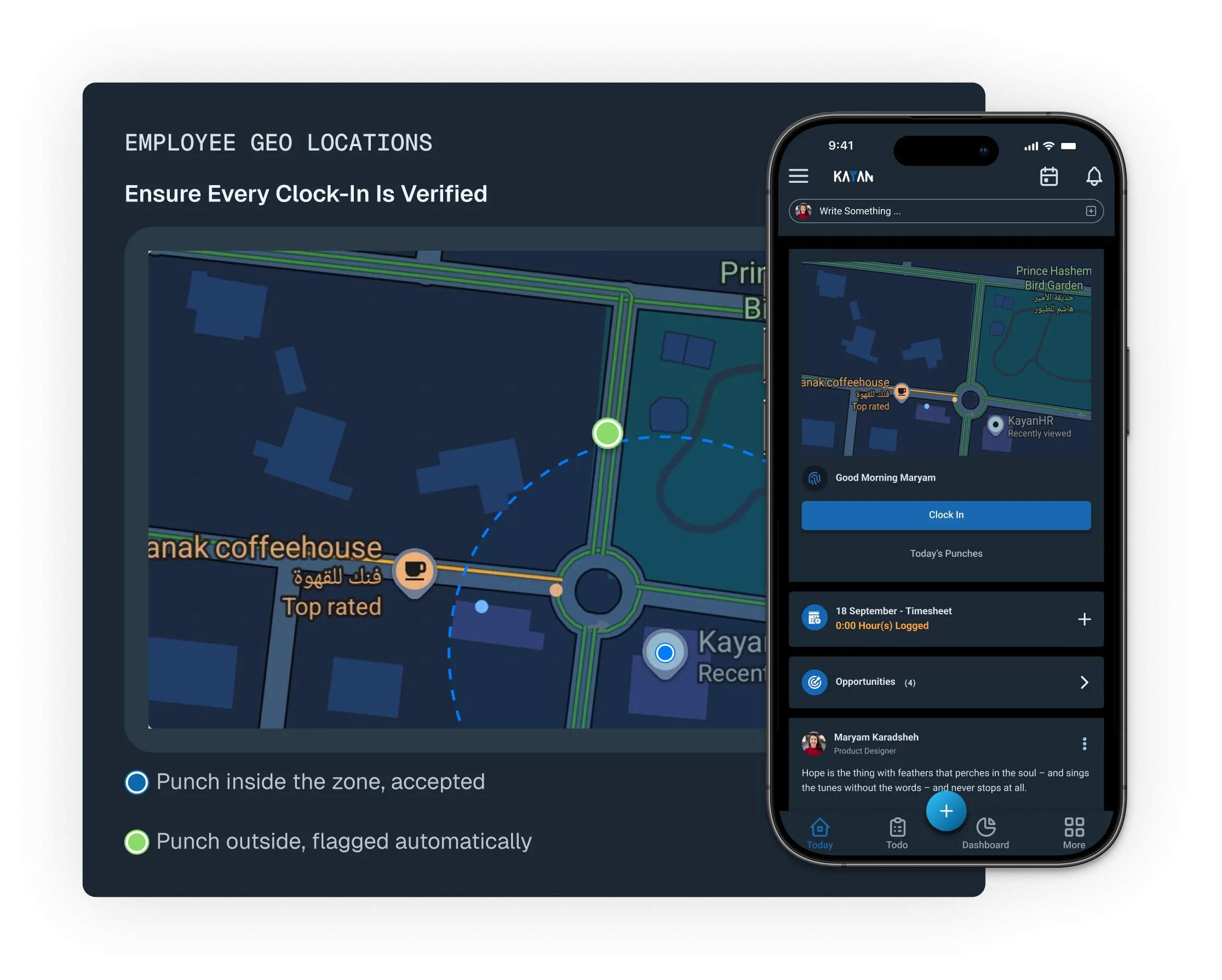
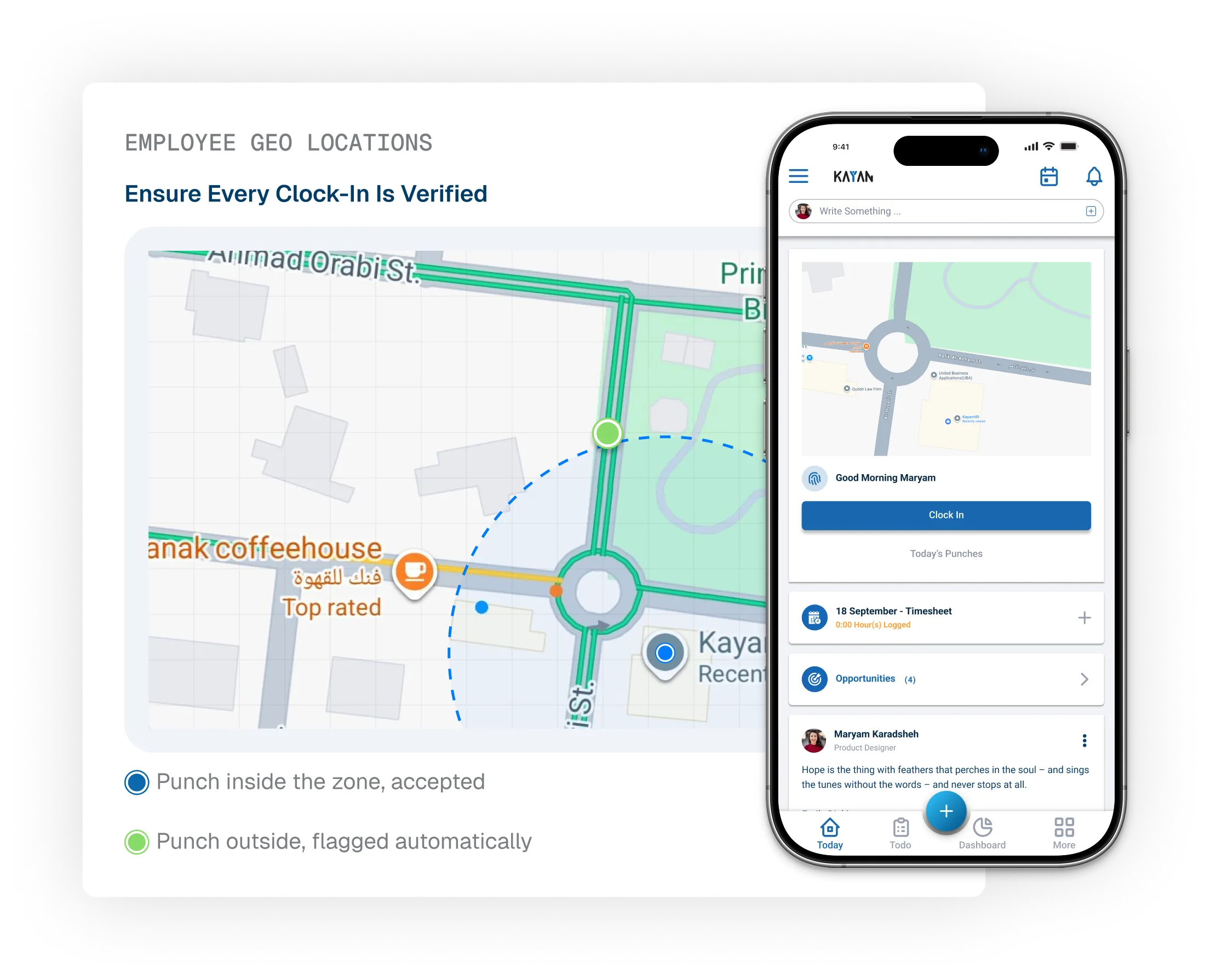
Track employee attendance with location-based verification and configurable geofences. Whether employees are working remotely, in the field, or on-site, ensure they can clock in only from authorized locations while maintaining accurate attendance records.

Multiple Geo Zones / Employee

Location-Based Validation
THE FUTURE OF FLEXIBLE WORK
Remote Work, Fully In View.
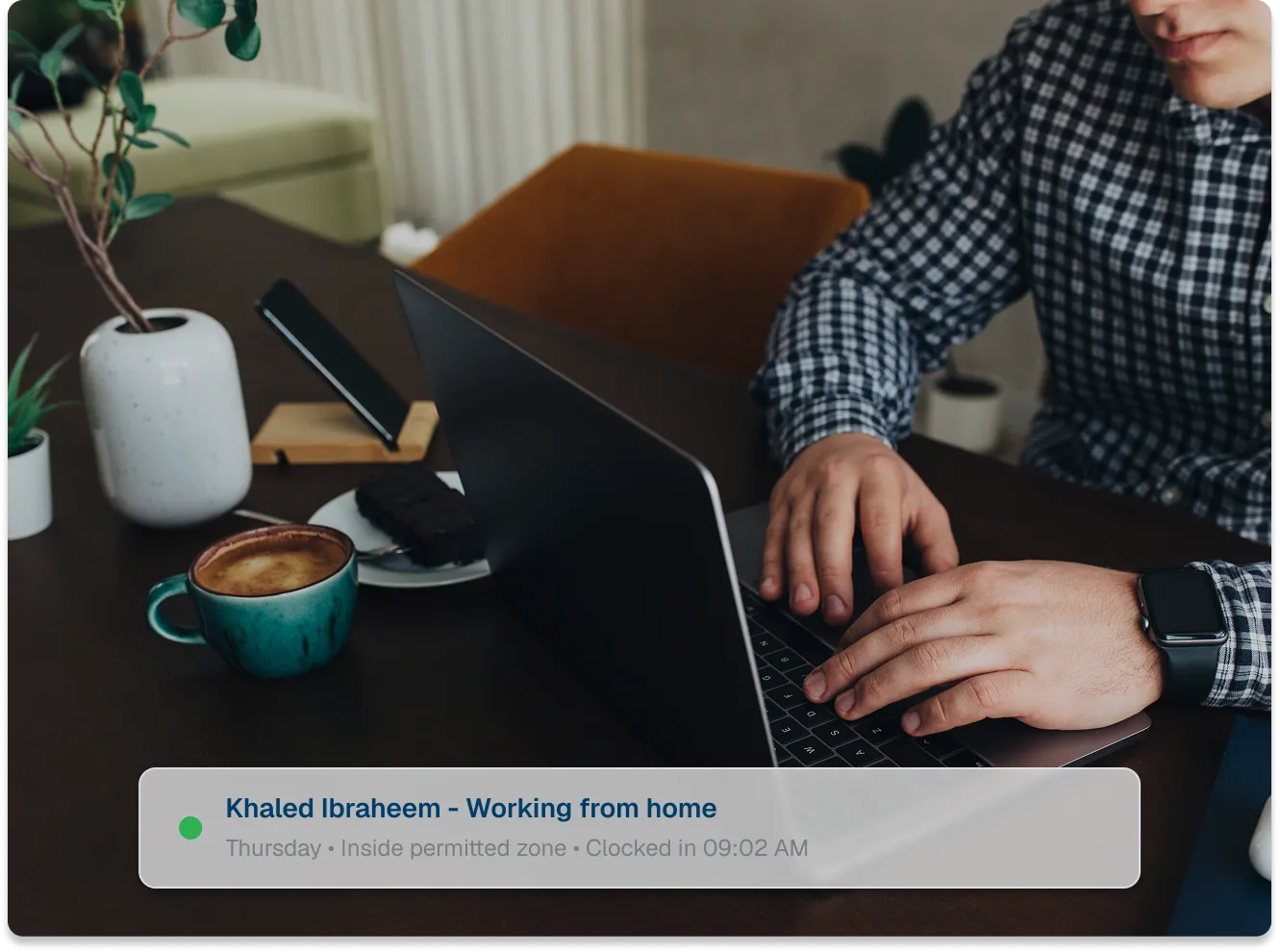
Manage work-from-home with clear policies that let employees request remote days on demand or follow a predefined schedule, all built directly into their work calendar.
Work From Home
Flexible by Request,
or by Design.
- On-demand WFH request, routed through configurable approval workflow templates.
- Fixed schedule days built directly into the employee's work calendar.
- Minimum required office days per week.
- Eligibility criteria and Policy Rules scoped per employee group, department, hierarchy or any other dimension.
ATTENDANCE TYPES
All Attendance Types,
Supported.
Create and manage regular, flexible, and roster shifts with ease, while giving employees clear visibility through self-service and the flexibility to request shift swaps with their peers.
Regular Shifts
Set fixed start and end times by role or team to create consistent, predictable work schedules that keep operations running smoothly.
Flexible Shifts
Support roles with flexible start times while enforcing consistent attendance policies through a unified rule engine./depending on work hours.
Roster Scheduling
Plan rotating schedules across teams by assigning employees to specific shift slots with full visibility across the roster calendar.
Status
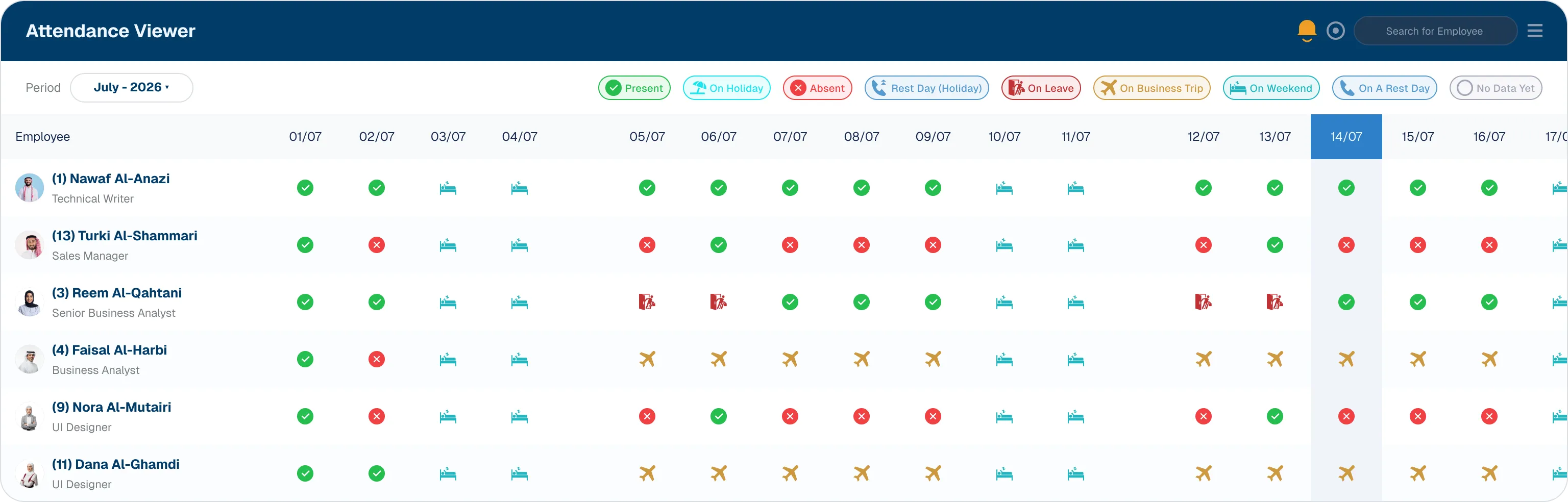
A Clear Status for Every Calendar Day.
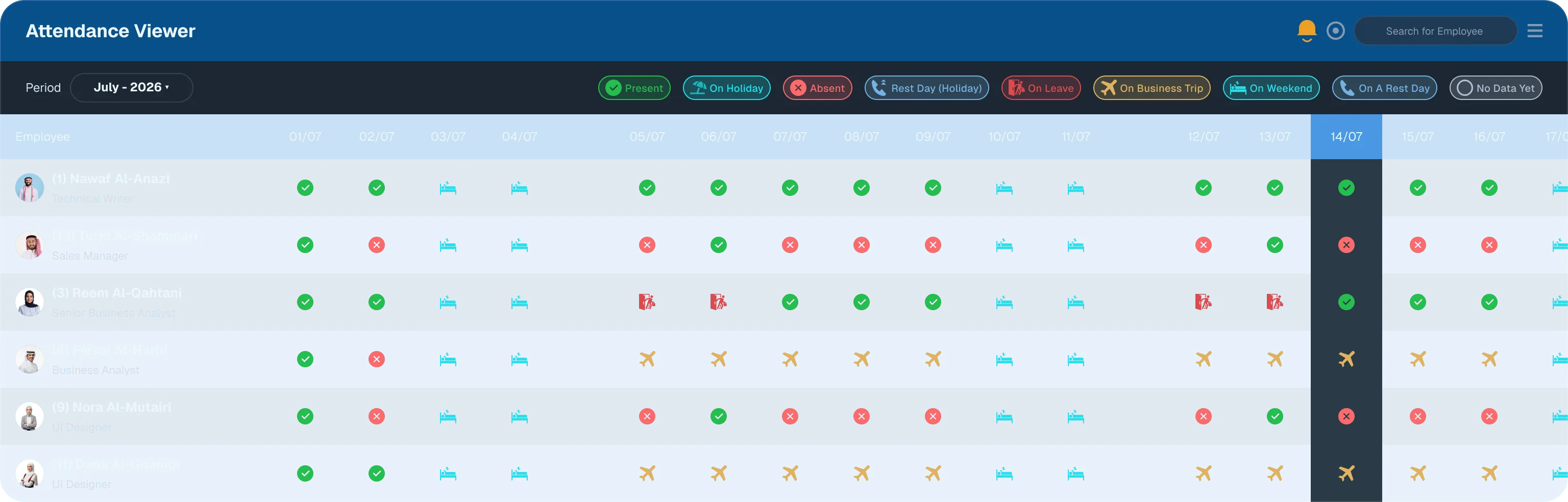
Every calendar day is represented by one of these statuses, providing a consistent experience across Attendance Viewer, dashboards, and notifications.
Present
On Holiday
Absent
Rest Day (Holiday)
On Leave
On Business trip
On Weekend
On a Rest Day
No Data Yet
Attendance Viewer
Every Attendance Detail,
Clearly Understood.
Not just an attendance grid, but a smarter way to understand workforce activity. Review patterns, resolve exceptions, and get intelligent recommendations when decisions matter.
-
Edit in place
Fix a punch or adjust a status directly on the grid. No ticket, no waiting.
-
Delete with confidence
Remove a bad record without disturbing the rest of the day.
-
Reanalyze on demand
Ask the system to look again at a day and recalculate what actually happened.
-
Get a recommendation
When something looks off, the system does not just flag it. It tells you what to do next.
Recommendation: Thursday's gap lines up with an approved leave request. Review the recommendation and take the appropriate action.
Payroll Integration
Attendance That Ends in an
Accurate Salary Slip.
Every approved action, including lateness, permissions, absences, and overtime, flows directly into payroll. No manual reconciliation and no end of month surprises.
Direct Payroll Sync
Approved attendance actions post straight to payroll, with no manual export step.
Daily, Weekly, Monthly
Attendance Management views match how your payroll cycle actually runs.
Audit-Ready Records
Every punch, rule match, and approval is logged and ready for review at any time.
Manager Oversight
See the Whole Team,
at Every Grain.
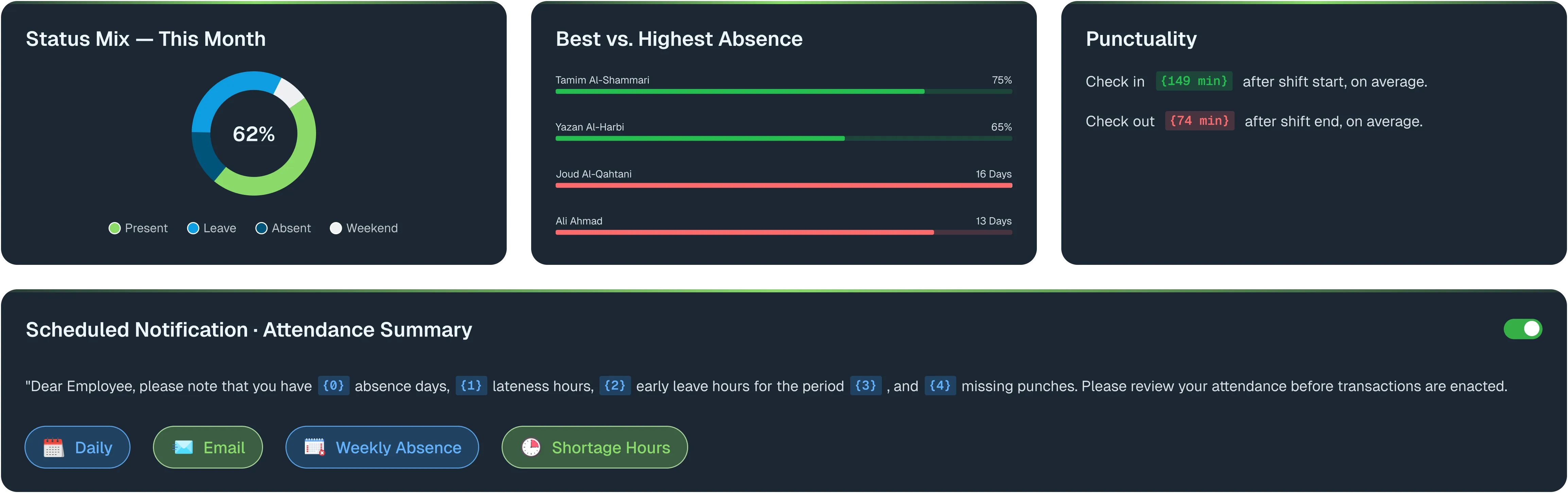
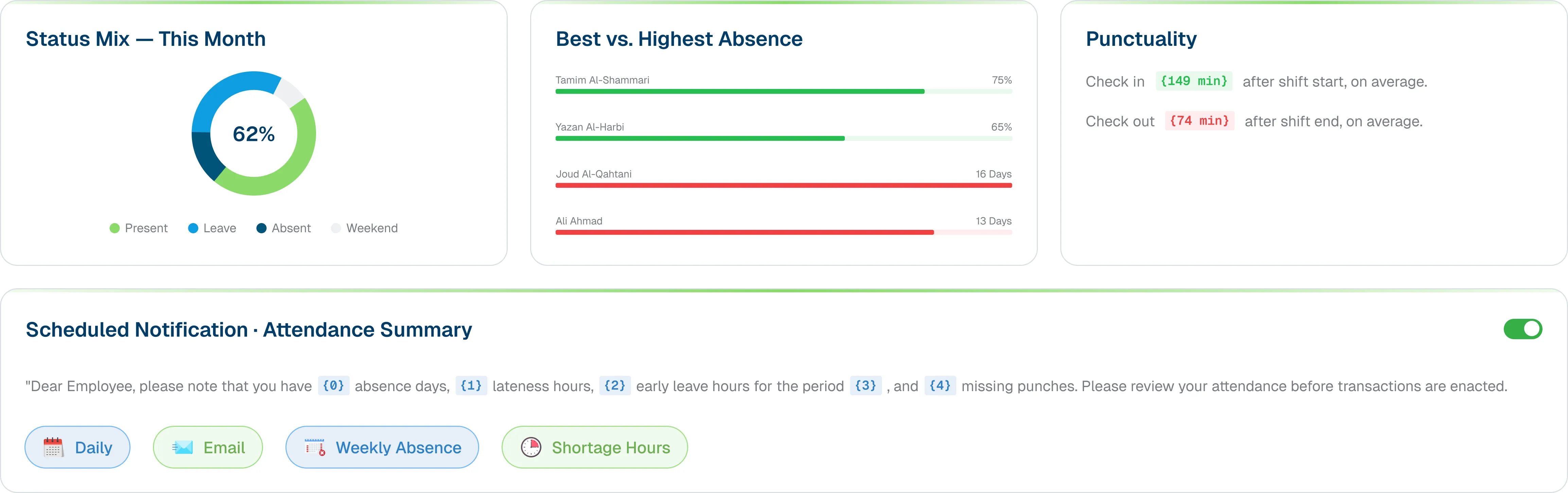
Attendance Viewer gives managers a full calendar grid per employee, while dashboards and scheduled notifications keep everyone ahead of problems instead of reacting to them.
Roster Scheduling
Plan the Shift.
Let Employees Swap It.
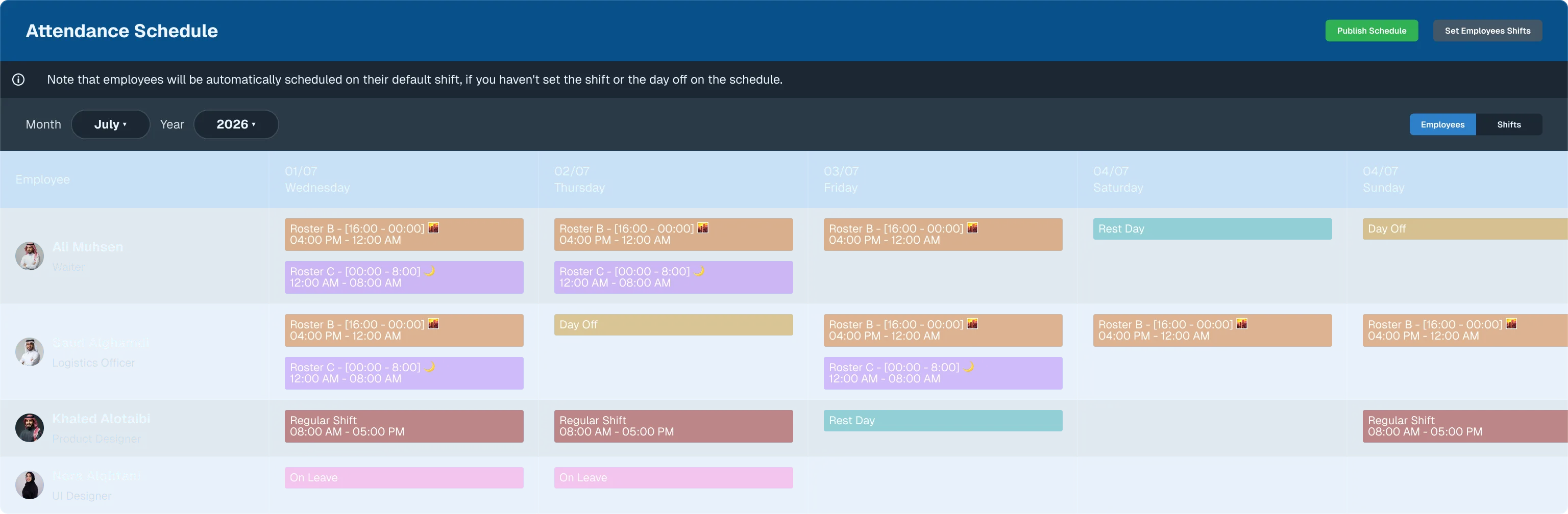
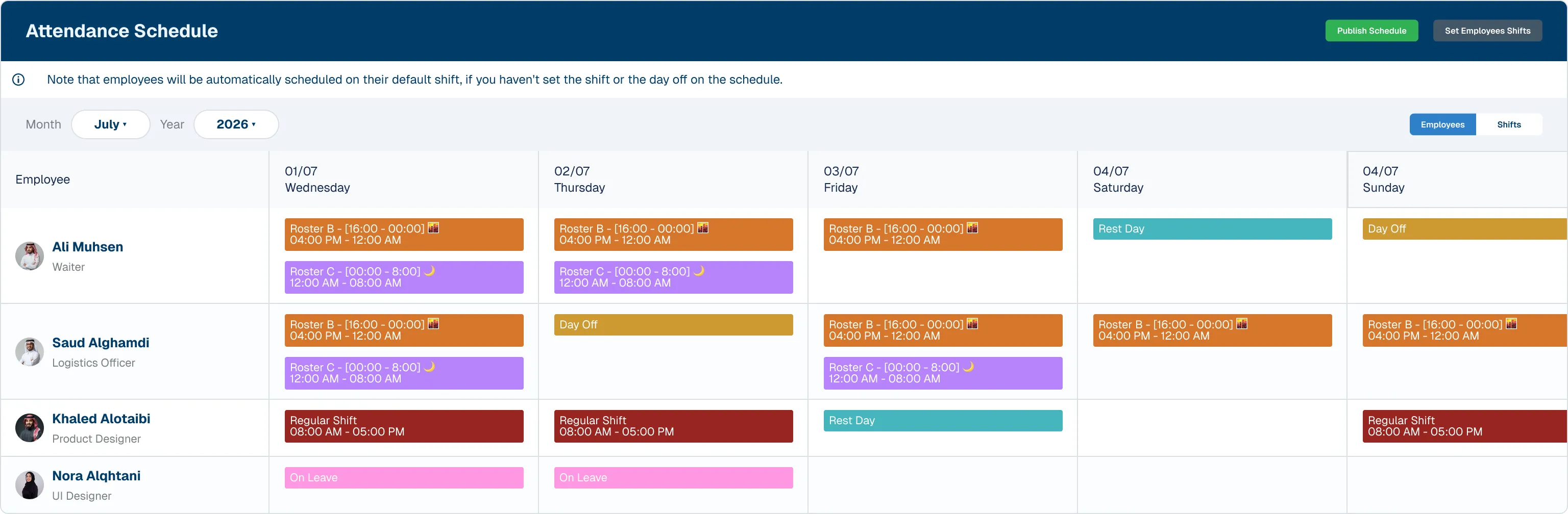
Build rotating schedules across teams, publish them with one click, and empower employees to view their schedules and request shift swaps with ease.
Roster Planning
Assign employees to specific shift slots per day, week, or cycle with full team visibility.
Shift Swap
Employees request swaps with eligible colleagues -same or cross-day- routed through a configurable approval template.
Publish Schedule
Publish the finalized schedule to all employees at once, with automatic notifications.
Ready to simplify time & attendance?
Shifts, Rules, and
Attendance, All in Sync.
KayanHR Time Attendance ensures every punch is captured, processed, and accurately accounted for, with integrated shift management and workforce data.